

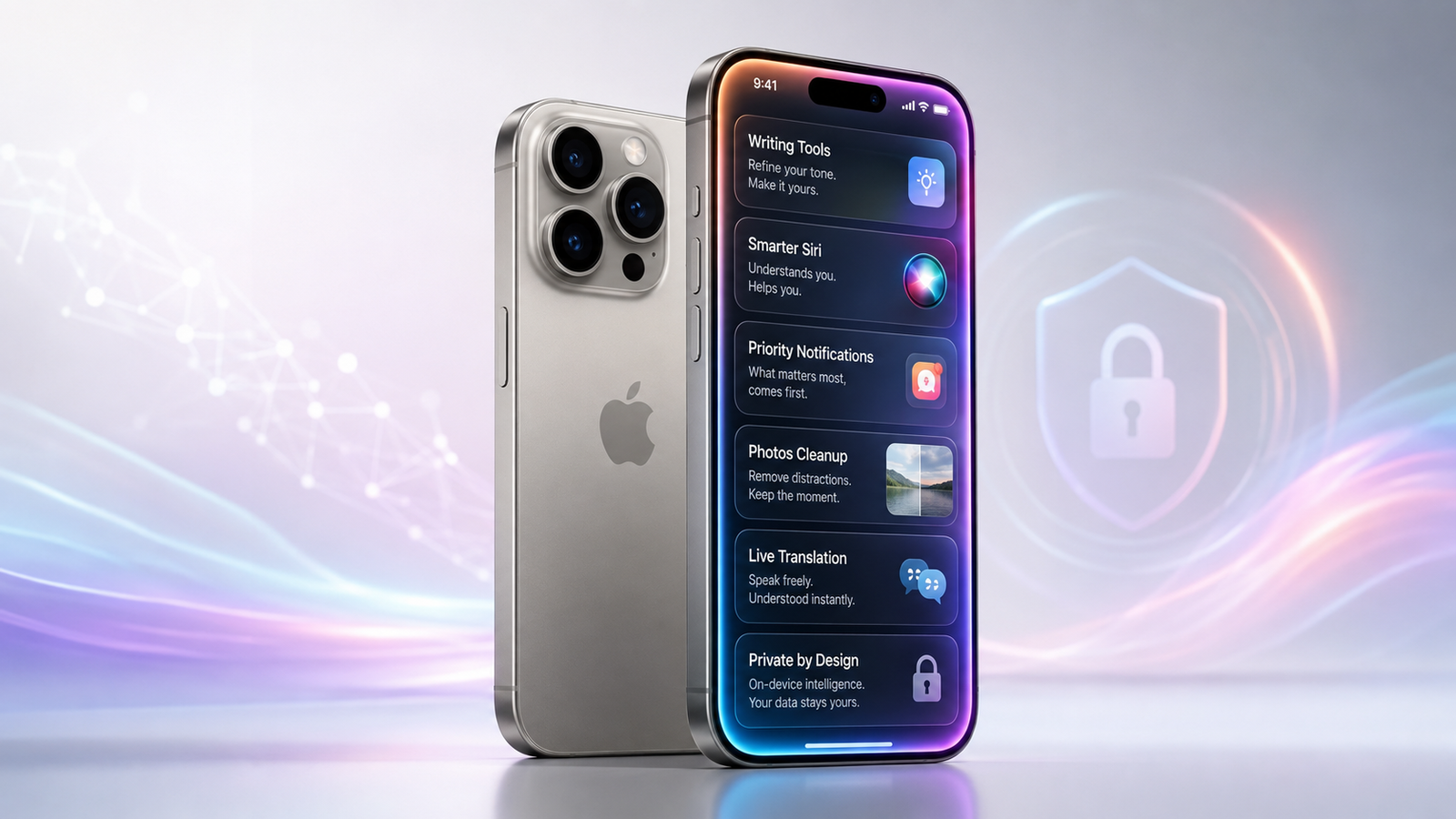
Apple Intelligence changes the iPhone by placing generative and contextual assistance inside tasks people already perform, rather than making them open a separate AI app. How Apple Intelligence is Changing the Smartphone Experience is most visible when an iPhone rewrites an email, condenses notifications, finds a photo from an ordinary description, translates a call, or helps automate a routine. It also gives Siri better language handling and optional access to ChatGPT for suitable requests. The result is a more assisted smartphone, but not an autonomous one. Features depend on compatible hardware, current software, supported languages, and regional availability. Some processing stays on the device, while more demanding requests can use Apple’s privacy-focused cloud system or, with permission, an external model.
Key Takeaways
- Apple integrates AI into iOS and familiar apps instead of limiting it to a standalone chatbot.
- Writing, summaries, photo search, translation, and Shortcuts can reduce repetitive work.
- Siri understands natural speech and typed requests better, but its most personal capabilities remain incomplete.
- On-device processing and Private Cloud Compute form the central privacy architecture.
- Hardware, storage, language, region, and software requirements create an uneven experience.
What Apple Intelligence Adds to the iPhone
Apple Intelligence combines generative models, system features, and app integrations inside iOS. Unlike a separate chatbot, it appears where work happens, including Mail, Messages, Notes, Photos, Phone, Safari, Reminders, and Shortcuts.
System-level integration matters because users do not have to copy an email into another service for proofreading, export a photograph for object removal, or manually transfer a generated answer into an automation. Assistance appears within the original task.
Traditional smartphone automation normally follows predetermined rules. A shortcut might open an app at a particular time or send a standard message. Generative AI can interpret flexible natural-language instructions, summarise unfamiliar content, and produce new text or imagery. That flexibility creates more possibilities, but it also means the output can be incomplete or wrong.
Everyday iPhone Tasks Before and After
| Everyday task | Traditional experience | Apple Intelligence-enabled experience | Practical benefit | Important limitation |
|---|---|---|---|---|
| Writing an email | Draft and edit manually | Proofread, rewrite, adjust tone, or summarise | Faster revision | Meaning can change |
| Managing notifications | Read alerts individually | Summaries, priority handling, and Reduce Interruptions | Less scanning | Summaries may omit context |
| Finding a photo | Search dates, places, or albums | Describe a person, action, or moment naturally | Faster retrieval | Results depend on recognition |
| Editing an image | Crop or use manual retouching | Clean Up removes distracting objects | Simpler correction | Edited areas may look inaccurate |
| Using Siri | Give relatively rigid commands | Speak with pauses, make corrections, or type requests | More forgiving interaction | Personal Siri features remain unfinished |
| Translating a conversation | Use a separate translation app | Translate in Messages, FaceTime, or Phone | Less app switching | Language support varies |
| Reviewing a call | Replay a recording or voicemail | Generate supported call and voicemail summaries | Quicker follow-up | Recording is region-dependent |
| Building an automation | Connect fixed actions | Add on-device, cloud, or ChatGPT model responses | More flexible workflows | Output requires checking |
How Apple Intelligence is Changing the Smartphone Experience
Writing Tools Bring Editing into Everyday Apps
Writing Tools can proofread, rewrite, adjust tone, and summarise selected text. They are available in many places where users write, including supported third-party apps and websites.
Proofread checks spelling, grammar, and sentence construction. Users can inspect individual changes instead of accepting an unexplained replacement. Rewrite produces another version of selected text, while tone options can make writing friendlier, more professional, or more concise. “Describe your change” supports more specific instructions, such as making an invitation more enthusiastic or simplifying a technical explanation.
For example, a manager can draft the essential facts of an email to a supplier, request a concise professional version, inspect the changes, and restore the original if the meaning shifts. A student can turn lengthy notes into a summary, while a customer can soften an overly abrupt complaint before sending it.
Compose is available through the optional ChatGPT extension and can generate a draft from a description. These tools save editing time, but they do not remove the need for human review. Prices, deadlines, legal wording, medical details, citations, and sensitive messages must still be checked carefully.
Notifications Become a Filtered Information Layer
Apple Intelligence attempts to reduce information overload instead of simply generating more content. Notification summaries condense multiple alerts, while Priority Notifications and Priority Messages in Mail can surface information the system considers urgent.
Message summaries help users understand the main point of unread conversations. Smart Reply suggests an appropriate response based on the message, and voicemail summaries can show the apparent purpose of a missed call. Reduce Interruptions Focus uses intelligence to allow potentially important alerts through while silencing less urgent activity.
These features can help someone scan a busy group conversation or find an actionable email without opening every item. However, summarisation introduces a serious trade-off. A generated summary can misunderstand humour, tone, attribution, or an important exception. Users should open the original message, email, notification, voicemail, or transcript before making a consequential decision.
Summaries can be disabled when they create more confusion than value. This is particularly sensible for professional communication, breaking news, financial alerts, or conversations where exact wording matters.
Siri Is More Natural but Still Incomplete
Current Siri improvements are useful but narrower than the most ambitious version Apple originally described. Siri can understand requests containing pauses, changes, and verbal corrections. A user can begin by requesting an alarm, correct themselves to ask for a timer, and change the duration without restarting the command.
Type to Siri allows requests to be entered through the keyboard. This is useful in meetings, quiet public places, loud environments, and situations where speaking to a phone is inconvenient. It can also improve accessibility and convenience for users who prefer written interaction.
Siri has greater product knowledge for answering questions about Apple devices and settings. It can explain tasks such as taking a screenshot, changing Control Centre options, or connecting AirPods.
The optional ChatGPT extension allows Siri to pass suitable requests to ChatGPT. Siri normally asks before doing this, although confirmation for ordinary requests can be disabled. Photos and files still require confirmation before being sent.
Apple’s current requirements documentation states that more personal Siri features remain in development. Personal context, extensive cross-app actions, and broad on-screen awareness through Siri must not be treated as universally available. Visual Intelligence can already analyse on-screen content, but it is a separate current feature rather than evidence that the complete personal Siri vision has arrived.
Photos Become Easier to Search and Edit
Apple Intelligence in Photos allows users to search with natural descriptions instead of relying only on dates, locations, or manually created albums. A search can describe a person, an activity, clothing, or a particular moment in a video.
This can make a large photo library considerably easier to navigate. Someone looking for a picture of a child riding a bicycle in a red jacket can describe the scene instead of scrolling through months of images.
Users can also request a memory movie by describing the story they want Photos to create. The system selects relevant images and videos and organises them into a presentation.
Clean Up removes distracting objects from photographs. It is useful for removing an unwanted person in the background or a small object near the edge of a composition. It is not equivalent to professional retouching, however. Reconstructed areas, repeating patterns, shadows, and complex backgrounds can produce unnatural results.
Visual Intelligence Connects the Camera and Screen to Actions
Visual Intelligence helps users understand physical surroundings and content displayed on their screens. Entry methods differ by compatible iPhone. Camera Control is one option, while certain models can use the Action button, Lock Screen, or Control Centre.
The feature can identify plants, animals, places, contact details, and other visible information. It can translate or read text aloud, recognise a date on a poster, and suggest creating a Calendar event. Users can search for visually similar objects or ask ChatGPT questions about something captured by the camera.
On-screen Visual Intelligence can work with content across apps. After taking a screenshot, a user may be able to summarise text, search for a pictured product, visit a detected website, identify an animal, or add event details to Calendar.
These functions turn the camera and display into action points rather than passive sources of information. Results still require checking, especially when identifying plants, interpreting documents, translating important instructions, or transferring event details.
Image Playground, Genmoji, and Image Wand Support Expression
Image Playground creates images from descriptions, suggested concepts, people, or existing content. Genmoji produces custom emoji-like images based on a prompt, while Image Wand can transform a rough sketch or surrounding notes into a more developed visual.
These features primarily support creative communication rather than essential productivity. They can be useful for personalised messages, invitations, illustrations, or conversation backgrounds.
Generated imagery can contain incorrect text, distorted objects, inconsistent details, or results that do not match the prompt. Users should not treat generated images as factual evidence or use them to represent real events without clear disclosure.
Calls, Messages, and Translation Require Less App Switching
Live Translation works inside Messages and supported one-to-one FaceTime and Phone calls. Messages can translate incoming text automatically, FaceTime can display translated captions, and Phone can provide spoken and written translation.
Apple states that Live Translation uses downloaded Apple-built models that run on the device. Required input and output languages must be downloaded before use. Messages supports a broader range of languages than Phone and FaceTime, so availability must be checked for the intended conversation type.
Compatible AirPods can provide translated audio during nearby conversations when paired with a supported iPhone. This depends on the AirPods model, firmware, language, software, and regional availability.
Apple Intelligence can also summarise recorded Phone and FaceTime audio calls. Phone recordings are stored in Notes, where the transcript and summary can be reviewed. Voicemail summaries may appear beneath unread messages. Call recording is unavailable in some countries and regions, so call summaries are not a universal capability.
Productivity, Shortcuts, and App Integration
Apple’s apps use intelligence in focused ways. Mail prioritises messages, provides summaries, and suggests replies. Messages summarises conversations and generates responses. Notes can summarise supported audio transcriptions. Safari can create a webpage summary. Reminders can identify likely tasks and categorise related items. Photos interprets natural-language searches.
Shortcuts can use an on-device Apple model, Private Cloud Compute, or ChatGPT. Model output can be passed into later actions within a workflow.
A student might compare lecture notes with a transcription and identify missing points. A traveller could summarise an itinerary, extract dates, and create reminders. A business user could condense text before saving it to Notes or sending it to another app.
Apple’s Foundation Models framework allows third-party developers to use the on-device model within their apps. For ordinary users, this means specialised applications can add private, offline intelligence without forcing every task through a general chatbot. The usefulness of these integrations will still depend on individual app design and developer implementation.
Privacy Is an Architecture, Not an Accuracy Guarantee
Apple Intelligence first assesses whether a request can be handled on the iPhone. On-device processing limits how much personal information must leave the device and allows certain tasks to work without an internet connection.
More complex requests can use Private Cloud Compute. Apple says only data relevant to the request is processed, the data is used only to fulfil that request, and it is not stored or made accessible to Apple. The server software is designed to be inspectable by independent security researchers.
Users can generate an Apple Intelligence Report from the Privacy and Security settings. This report can show recent requests sent to Private Cloud Compute, providing additional visibility into cloud activity.
ChatGPT integration is separate from Private Cloud Compute and must be enabled manually. Without a ChatGPT account, Apple says requests are not linked to the user’s Apple Account, and OpenAI must not retain or use them for model training except where legally required. If the user signs in, their ChatGPT settings and OpenAI’s privacy policies apply.
These protections reduce unnecessary data exposure, but privacy architecture and output accuracy are different issues. A response can remain private while still being incomplete, biased, or incorrect.
Does Apple Intelligence Work Offline?
There is no universal yes-or-no answer. Some features use local models and can work without an active internet connection. Live Translation runs locally after the necessary languages are downloaded. Shortcuts offers an on-device model for simpler requests, and third-party apps using Apple’s Foundation Models framework can provide offline intelligent features.
Private Cloud Compute requires network access because the request is processed on remote infrastructure. ChatGPT also requires connectivity and service availability. Visual searches, web results, current information, and other externally sourced answers need an internet connection even when part of the initial analysis happens locally.
Offline support therefore depends on the task, selected model, downloaded resources, and application design.
Compatible iPhones and System Requirements
Running generative models locally requires considerable memory, storage, and processing capacity. Apple Intelligence is therefore unavailable on many iPhones that can still install recent iOS versions.
| Requirement | What the user needs |
|---|---|
| Compatible hardware | iPhone 15 Pro or 15 Pro Max, or an iPhone 16 generation or later |
| Minimum software | iOS 18.1 or later |
| Newer feature support | iOS 26 or later for capabilities introduced with that release |
| On-device storage | Approximately 7 GB for downloaded models |
| Language settings | Device language and Siri language must match a supported language |
| Activation | Apple Intelligence must be enabled in Settings |
| Regional availability | Support varies by feature, language, country, and region |
Apple provides broad language support with iOS 26.1, but individual capabilities may have narrower language lists. Live Translation in Messages, for example, supports more languages than translation in Phone and FaceTime.
Apple Intelligence does not currently work on supported devices purchased in mainland China. Additional restrictions apply to some devices purchased elsewhere but used in mainland China with a corresponding Apple Account region.
Users should check Apple’s latest device requirements and feature-availability page before buying a phone or upgrading specifically for one capability.
Current Limitations and Concerns
Apple’s iPhone User Guide continues to identify Apple Intelligence as beta. Its limitations are therefore as important as its feature list.
Generated summaries can omit context or assign the wrong meaning to a message. Writing Tools can weaken a writer’s intended tone or alter a factual detail. Image generation can produce distorted objects, while Clean Up may reconstruct backgrounds poorly. Natural-language photo search and Visual Intelligence depend on accurate recognition.
Availability also remains fragmented. A compatible device does not guarantee that every feature works in the user’s language or region. On-device models consume storage, some tasks require internet access, and ChatGPT availability depends on a separate service.
Hardware exclusivity is another significant limitation. Many users with otherwise capable iPhones cannot access the system because their devices lack the required processing and memory resources.
The incomplete personal Siri rollout creates an expectation gap. Siri is more tolerant and useful, but it is not yet the fully contextual cross-app assistant many people anticipated.
There is also a learning curve. Users must understand which requests remain on-device, when cloud processing is used, when ChatGPT receives information, and where summaries or integrations can be disabled.
Is the iPhone Experience Genuinely Better?
For the right user, the experience is better, but the improvement comes from accumulated small efficiencies rather than one dramatic change.
Professionals who handle large amounts of text can benefit from rewriting, proofreading, and summarisation. People managing heavy notification loads may save time through priority handling. Multilingual users can communicate with less app switching. Owners of large photo libraries can find specific moments more easily.
Typed Siri, read-aloud text, translated captions, and camera-based information can also improve accessibility and convenience. People already using Mail, Messages, Notes, Photos, Reminders, and Shortcuts will experience the strongest integration.
Light users may notice much less value. Someone who writes few emails, rarely searches a large photo library, and keeps notifications under control may use only a handful of features.
Apple Intelligence works best as an editable first pass, search layer, and automation component. It should not be treated as an unquestionable source or a substitute for judgement.
A More Assisted, Not Autonomous, iPhone
Apple’s approach makes artificial intelligence a layer across everyday iPhone use rather than a single destination. Writing Tools, photo search, Live Translation, notification summaries, Visual Intelligence, and intelligent Shortcuts can reduce repetitive steps and make information easier to manage. On-device processing and Private Cloud Compute provide a carefully designed privacy foundation.
The limitations remain substantial. Compatibility is restricted, feature availability differs by language and region, generative output can be wrong, some functions require connectivity, and Siri’s most personal capabilities remain incomplete. Users will gain the most value by treating these tools as assistance that remains under human control.
The clearest way to understand How Apple Intelligence is Changing the Smartphone Experience is to see it as a collection of practical improvements rather than one total transformation. It can make a compatible iPhone easier to write with, faster to search, more flexible across languages, and better at handling routine information, but its best results still depend on careful permissions, user review, and realistic expectations.
Frequently Asked Questions
What is Apple Intelligence?
Apple Intelligence is Apple’s collection of generative models and system-level features for supported devices. On iPhone, it assists with writing, summaries, images, photo search, translation, notifications, Siri, and automation. Unlike a standalone chatbot, it appears inside iOS and supported apps. Availability depends on hardware, software, language, and region.
Which iPhones support Apple Intelligence?
Apple currently requires an iPhone 15 Pro or 15 Pro Max, or an iPhone 16 model or later. A phone may support a recent iOS version without supporting Apple Intelligence. Users also need sufficient storage, compatible software, matching supported device and Siri languages, and feature availability in their region.
Does Apple Intelligence work without an internet connection?
Some features work locally. Downloaded Live Translation languages, on-device model tasks, and certain intelligent Shortcuts can function without internet access. Private Cloud Compute, ChatGPT, web search, and requests requiring current external information need connectivity. Offline behaviour varies by feature rather than applying to the entire system.
Is Apple Intelligence the same as ChatGPT?
No. Apple Intelligence uses Apple models and system integrations. ChatGPT is an optional extension for selected Siri, Writing Tools, Image Playground, Visual Intelligence, and Shortcuts requests. Users enable it separately, and Apple’s features can operate without it. Signed-in ChatGPT users are also subject to their account settings and OpenAI’s policies.
Is Apple Intelligence private and secure?
Its design prioritises on-device processing and uses Private Cloud Compute for more demanding requests. Apple says relevant cloud data is not stored or accessible to Apple. Optional ChatGPT requests follow separate controls and policies. These protections are meaningful, but no system guarantees perfect security, and privacy measures do not guarantee accurate AI output.
Is Apple Intelligence worth using?
It is most useful for frequent writing, heavy notification loads, multilingual communication, large photo collections, and custom automation. Its strongest features remove small points of friction throughout the day. Users expecting a completely autonomous personal assistant may be disappointed, and generated summaries or content should always be reviewed before important use.
